
ReorderE Subscriptions App
Analytics
Track subscription revenue and key subscription counts in ReorderE.
This page summarizes the subscription analytics you can monitor when using ReorderE Subscription App.
Reference (Shopify Help Center):
Key metrics (typical)
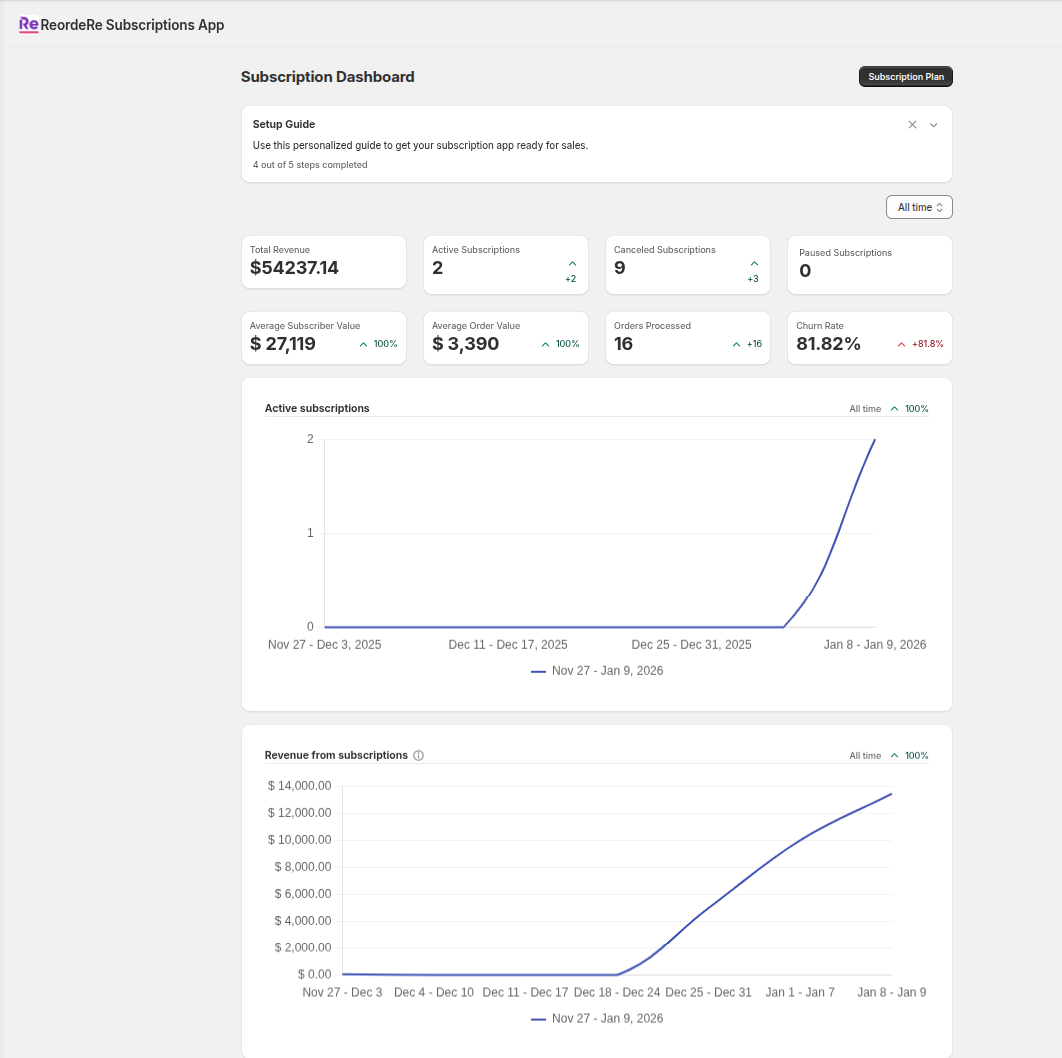
Example: subscription analytics dashboard showing key metrics and trends.
Subscription analytics commonly include:
- Subscription revenue within a selected timeframe
- Active subscriptions (often including paused contracts and skipped orders)
- New subscriptions created in the timeframe
- Canceled subscriptions in the timeframe
You can also track payment failures/recovery (dunning) and churn trends, depending on what’s enabled in your app plan and analytics dashboard.
Timeframes and comparisons
Subscription dashboards often let you compare the selected period against a previous period (such as the prior 7/30/90 days).
Drilling into reports
For deeper analysis, use Shopify reporting where available (for example, subscriptions sales reports) to review performance trends over time.