
ReorderE Subscriptions App
Manage subscriptions
Day-to-day operations: plans, contracts, settings, and translations.
After subscriptions are set up, merchants typically need to manage both:
- Plans (what customers can buy)
- Contracts (what individual customers are subscribed to)
Reference (Shopify Help Center):
Manage subscription plans
Typical plan management tasks include:
- In the app, go to Products → Subscription Plans
- Create a plan group and choose products (or a collection)
- Add one or more selling plans (billing/delivery frequency options)
- Set discounts (if used) and customer-facing labels
Manage subscription contracts
Common contract operations include:
- In the app, go to Customers → Subscriptions
- Open a customer contract and use actions like Pause, Resume, Skip, Change frequency, or Cancel (as available)
- Update shipping address and payment method using the supported flow in Shopify/customer accounts
App settings
Common settings include:
- Storefront widget/block display options
- Failure handling (payment retry and inventory retry)
- Notification templates
Notification templates
In the app, go to Settings → Notifications to customize subscription emails.
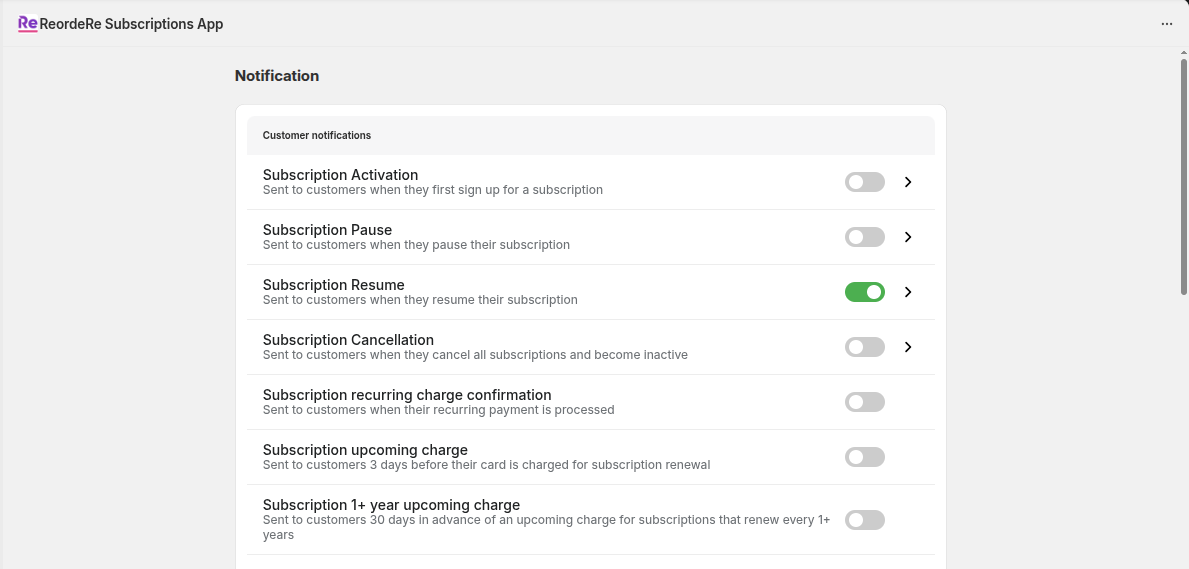
Example: enable/disable notification events and open an event to edit its template.
When editing a template, you can usually update the subject and content, then preview before saving.
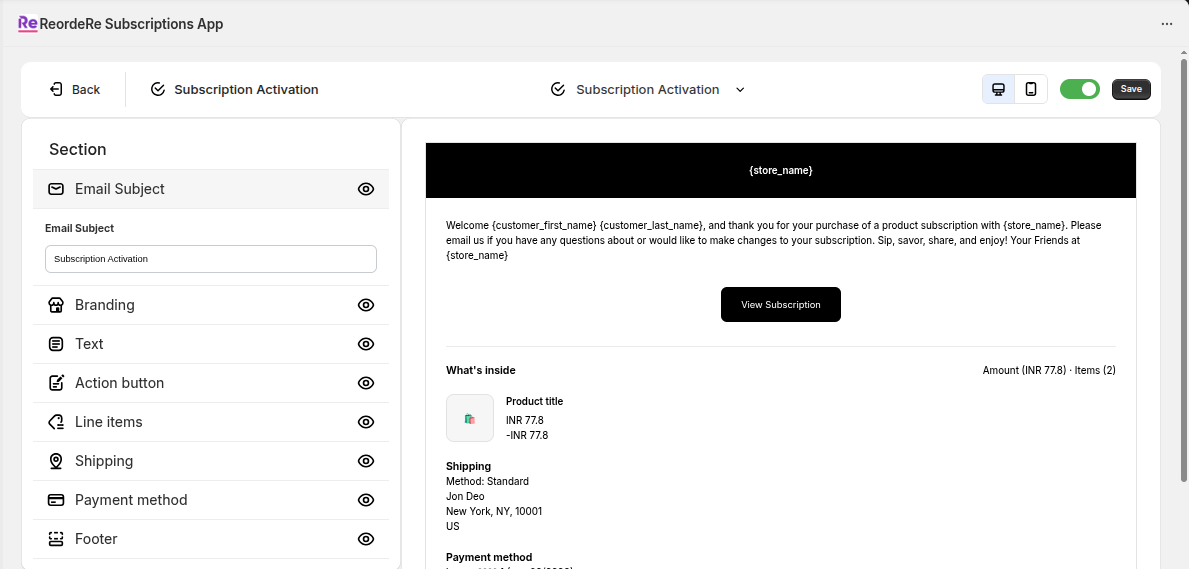
Example: editing a notification template with a live preview.
Common events include:
- New subscription created
- Upcoming order reminder
- Payment retry and final payment failure
- Inventory delay
- Subscription paused or cancelled
- Contract updated
Translations
If you sell in multiple languages, you might need to translate plan labels and customer-facing text.